Jan 31, 2014

get free internet access by openvpn

previously, we are talking about how to tune up openvpn configuration, now we are talking about how to get free internet access by openvpn.

as you know that openvpn can run on TCP or UDP mode, on this section, we will try to use TCP connection.

break mobile internet proxy

for years ago, people use ssh tunnel over http inject technique to make socket connection, then they direct firefox to their new tunnel. You still need to set all application to use this socket connection to go out. Or set it with proxify.

well, openvpn can do it easily, you just need NMDVPN client, then set your openvpn configuration file to be use TCP, and add some operator bugs there. Just see here :


break mobile internet quota with openvpn


then wait until the application success to make new routing to your vpn server : 

NMDVPN

by this way,
  • you not only speed up your internet connection but also break your internet quota, however you will get FREE internet access. (even you are on ZERO balance). 
  • all application will run properly, because you will get full tcp/ip stack, no need to proxify it.
  • its very easy to use.


Read more ...

speed up open vpn

today, i will share my experience to speed up vpn connection over mobile internet broadband. Officially i just get 512 kbps, but we can speed up up to 14 Mbps then. its depend on signal strenght in your location.

well, lets start by setup server configuration. As you know that openvpn server can be use as certificate (tls), password only, tls +  password, and static key. whatever you chose it, what you need to tune up are

proto [udp/tcp]
reneg-sec [604800/ make it bigger]
sndbuf [100000 / make it bigger]
rcvbuf [100000 / make it bigger]
tun-mtu [48000 / make it same with server]
fragment [0 / let it 0]
mssfix [0 / let it 0]

if you want to run openvpn over socket tunnel such as ssh tunnel, maybe you can set 


cipher none
auth none


because you are on secure connection now, already encrypted by ssh.

remember, if you make tun-mtu bigger, you should also tune up the link-mtu bigger too.


as your reference : 
https://community.openvpn.net/openvpn/wiki/Gigabit_Networks_Linux
Read more ...

Dec 24, 2013

1k3m ubuntu


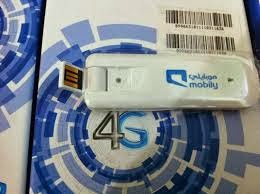
install 1k3 ubuntu 13.10

sudo apt-get install ndiswrapper-common ndiswrapper-utils-1.9

1. plug in your modem and check it


lsusb 
Bus 002 Device 049: ID 0408:ea26 Quanta Computer, Inc. 
Bus 002 Device 001: ID 1d6b:0002 Linux Foundation 2.0 root hub
Bus 008 Device 001: ID 1d6b:0001 Linux Foundation 1.1 root hub
Bus 007 Device 001: ID 1d6b:0001 Linux Foundation 1.1 root hub
Bus 006 Device 001: ID 1d6b:0001 Linux Foundation 1.1 root hub
Bus 005 Device 023: ID 1a81:1705 Holtek Semiconductor, Inc. 
Bus 005 Device 001: ID 1d6b:0001 Linux Foundation 1.1 root hub
Bus 001 Device 004: ID 04f2:b160 Chicony Electronics Co., Ltd 
Bus 001 Device 001: ID 1d6b:0002 Linux Foundation 2.0 root hub
Bus 004 Device 001: ID 1d6b:0001 Linux Foundation 1.1 root hub
Bus 003 Device 002: ID 0a5c:2151 Broadcom Corp. Bluetooth
Bus 003 Device 001: ID 1d6b:0001 Linux Foundation 1.1 root hub

2. create file :  /etc/usb_modeswitch.d/0408:ea25 the content as below :


DefaultVendor= 0x0408
DefaultProduct= 0xea25
TargetVendor= 0x0408
TargetProduct= 0xea26
MessageContent="5553424312345678000000000000061b004600000000000000000000000000"
CheckSuccess=20

3. add this command to  /lib/udev/rules.d/40-usb_modeswitch.rules

# LTE Modem 1k3m
ATTRS{idVendor}=="0408", ATTRS{idProduct}=="ea25", RUN+="usb_modeswitch '%b/%k'"

4. add this command to   /etc/modprobe.d/mobily-lte.conf 

options usbserial vendor=0x0408 product=0xea26


5. restart the services 

sudo ser­vice udev restart
sudo rmmod option 
sudo rmmod usb_wwan
sudo rmmod usbserial
sudo modprobe usbserial
sudo modprobe usb_wwan
sudo modprobe option 

6. unplug the modem, then plug it again, and check with dmesg, you should see as below :


[59549.312083] usb 2-3: new high-speed USB device number 49 using ehci-pci
[59549.448151] usb 2-3: New USB device found, idVendor=0408, idProduct=ea26
[59549.448159] usb 2-3: New USB device strings: Mfr=3, Product=2, SerialNumber=0
[59549.448164] usb 2-3: Product: Qualcomm CDMA Technologies MSM
[59549.448168] usb 2-3: Manufacturer: Qualcomm, Incorporated
[59549.450481] usbserial_generic 2-3:1.0: The "generic" usb-serial driver is only for testing and one-off prototypes.
[59549.450487] usbserial_generic 2-3:1.0: Tell linux-usb@vger.kernel.org to add your device to a proper driver.
[59549.450491] usbserial_generic 2-3:1.0: generic converter detected
[59549.450593] usb 2-3: generic converter now attached to ttyUSB0
[59549.450987] usbserial_generic 2-3:1.1: The "generic" usb-serial driver is only for testing and one-off prototypes.
[59549.450992] usbserial_generic 2-3:1.1: Tell linux-usb@vger.kernel.org to add your device to a proper driver.
[59549.450996] usbserial_generic 2-3:1.1: generic converter detected
[59549.451084] usb 2-3: generic converter now attached to ttyUSB1
[59549.451172] usbserial_generic 2-3:1.2: The "generic" usb-serial driver is only for testing and one-off prototypes.
[59549.451177] usbserial_generic 2-3:1.2: Tell linux-usb@vger.kernel.org to add your device to a proper driver.
[59549.451181] usbserial_generic 2-3:1.2: generic converter detected
[59549.451269] usb 2-3: generic converter now attached to ttyUSB2
[59549.451417] usbserial_generic 2-3:1.3: The "generic" usb-serial driver is only for testing and one-off prototypes.
[59549.451422] usbserial_generic 2-3:1.3: Tell linux-usb@vger.kernel.org to add your device to a proper driver.
[59549.451425] usbserial_generic 2-3:1.3: generic converter detected
[59549.452844] usb 2-3: generic converter now attached to ttyUSB3
[59549.452956] usb-storage 2-3:1.4: USB Mass Storage device detected

7. create your dial-up profile on network connection menu, or you can use wvdial


note : 
1. for band selection, you can choose on your profile, you may use LTE only or 3G only, or others as well.

2. light indicator color : 
  • violet : its ready to use, but its not LTE
  • blue : its LTE ready
  • red : your modem in trouble
3. forcing to LTE service with wvdial, according to  http://www.eigenmagic.com/2012/03/14/how-to-get-telstra-4g-mobile-broadband-working-with-linux/
you should use AT+ZSNT=6,0,0 to force on LTE

the speedtest with telkomsel card is :

LTE

Read more ...

Dec 16, 2013

how to hide ip

sometimes, you need to hide your real ip address for some reason. let say :  you want to download some file from korean server, while the server just allow traffic from korean. There are some technique to make it, today we'll learn about how to hide your real ip and location using proxying or serial proxy.

how to hide ip

don't forget that when you enter to specific country, you will identified as their citizen, so if google detect you use unusual traffic (maybe from your cookie, or from your domain) you need to change it first, of clear your cookie first. for more detail you can see on this link(Proxying Cookie) .


here's my suggestion for your safety internet surfing : 
  • 1. use google DNS (well-known dns / public dns)
  • 2. clear you cookie first before re-route your traffic.


Read more ...

Dec 15, 2013

proxy cookie

This is solution for unusual traffic error, before we go through, let we recite this cookie complete chart :

proxy cookie


when you are under proxy, you need to hide some cookie which is not match with yours. especially for your personalization and your cookie tracking. see on this video.


Read more ...